Metadata Query
The user interface supports querying metadata with custom read-only SQL statements on the metadata SQL views. The query results can be displayed in the user interface or downloaded in different formats.
Only users with the access level Administrator are authorized to open the metadata query.
The metadata query requires a corresponding user to be configured (see server parameter DATASPOT_POSTGRES_READONLY_USER) with granted read-only permissions for all metadata SQL views.
All SQL statements of the metadata query are executed exclusively with this user.
Functionality
The metadata query in the user interface has the same functionality and semantics as the metadata query API. The metadata query executes a custom SQL statement on the metadata SQL views.
The custom SQL statement can only access tables for which the configured user is authorized.
The SQL query is based on the metamodel, which documents all properties and relationships of metadata objects. The query result can be downloaded in different formats.
It is not possible to execute SQL statements that modify data. The transaction in PostgreSQL is started as a read-only transaction and is additionally protected against SQL statements that modify data.
Formats
When querying metadata, the following formats are supported:
| Format | File extension | Description |
|---|---|---|
CSV | .csv | CSV (Comma-separated values) |
JSON | .json | JSON (JavaScript Object Notation) |
XML | .xml | XML (Extensible Markup Language) |
The properties depend on the respective, custom SQL statement.
Usage
The metadata query can be opened in the sidebar.
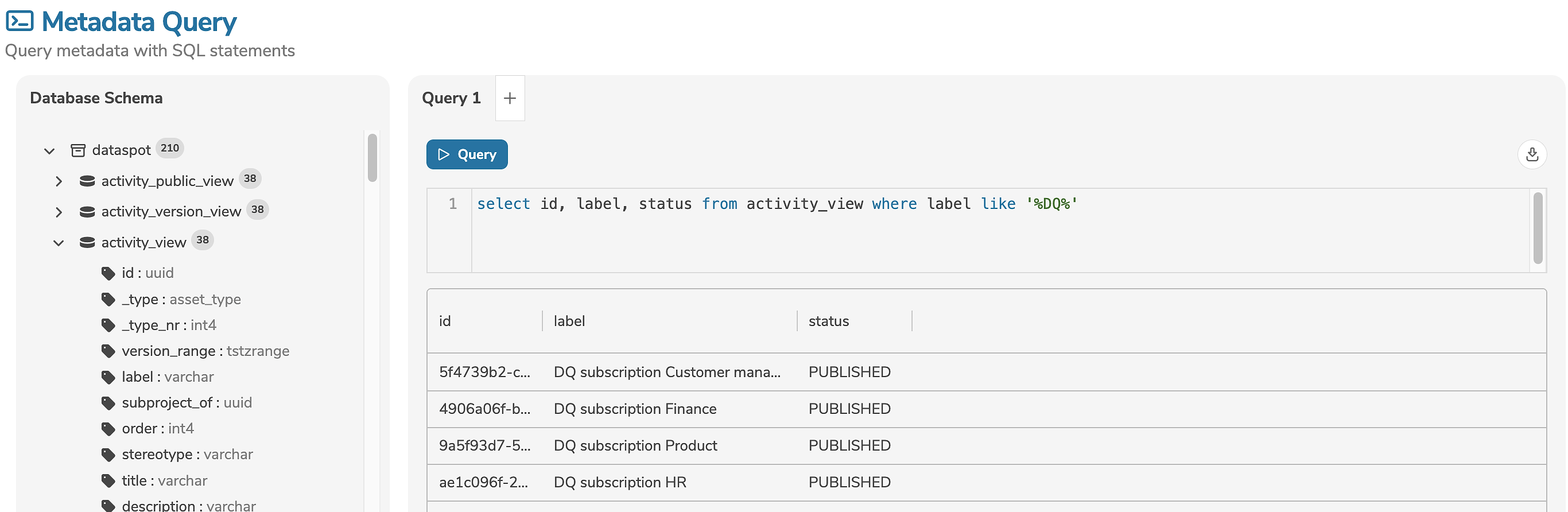
The database schema displays all tables (incl. columns and data types) for which the configured user is authorized.
All tables and columns in the database schema dataspot are documented.
The descriptions are automatically displayed as tooltips above the tables or columns.
The SQL statement can be entered in the input field. Clicking "Query" executes the SQL statement.
The size of the input field can be adjusted by clicking and dragging the bottom-right corner of the field. This allows the input field to be adjusted to fit the length of the query.
The keyboard shortcut CTRL+Enter in the input field also executes the SQL statement.
The SQL statement may contain only a single, read-only SQL query.
Comments with -- or /* and */ are allowed.
The queried metadata is displayed, page by page, in a table.
It is possible to edit multiple queries at a time. A separate tab can be opened for each query.
Download
The download dialog can be opened, by clicking on the download icon.
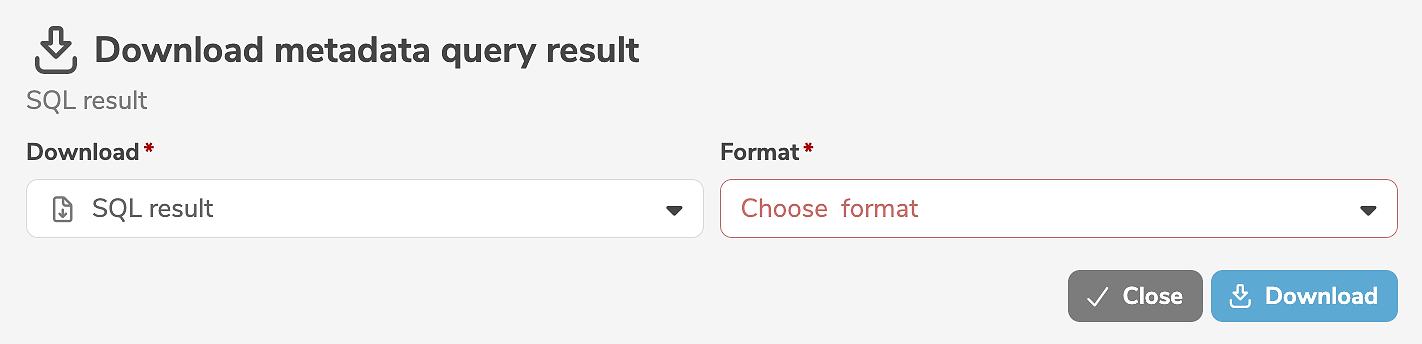
It is mandatory to select the format.
- Clicking "Download" starts a job that executes the SQL statement and prepares the queried metdata. While the query is running, the progress is displayed.
- Clicking "Stop" will stop the running query.
By clicking "Close" the dialog can be closed without stopping the running query. The user can continue to use the application while the query is running in the background. If necessary, the provided result can later be retrieved in the dashboard, where the query can also be stopped or restarted.
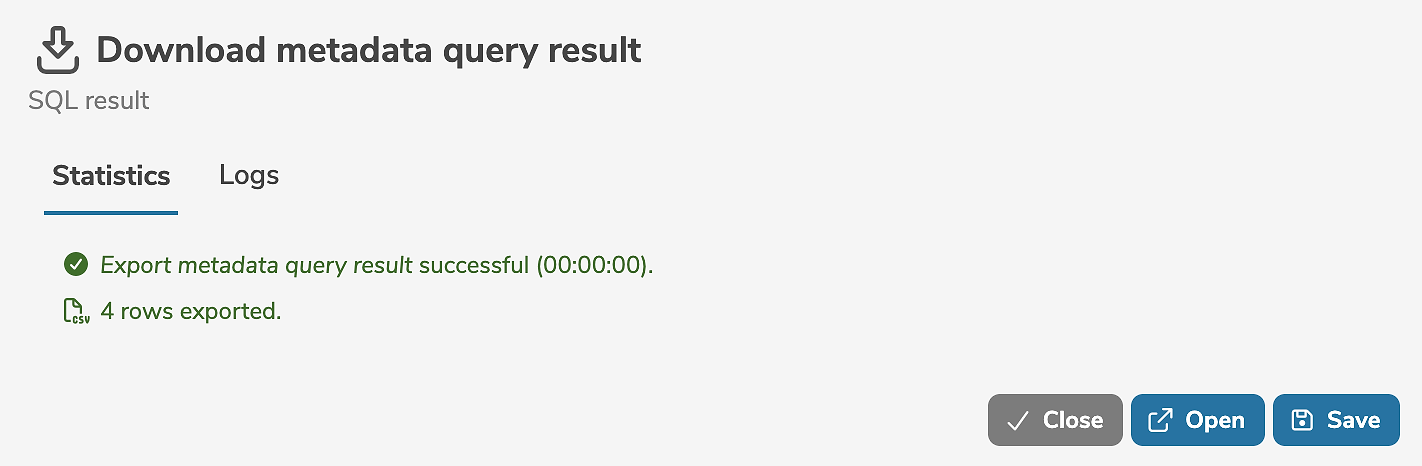
When the query has completed, the statistics and logs are displayed.
- By clicking "Open" the queried metadata is opened and displayed.
- By clicking "Save" the queried metadata can be saved as a file.
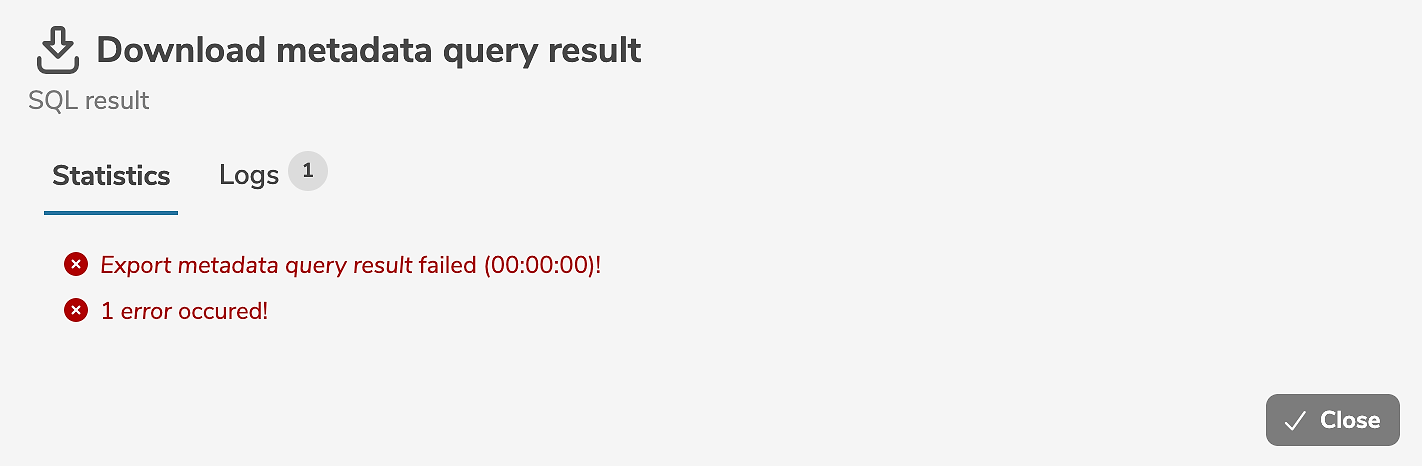
If any errors occur while querying, a corresponding error message is output. The exact cause of the errors can be found in the logs.