DX Organization
The DX organization is a concept for managing responsibilities and defines the persons, groups, posts, and roles necessary for data excellence (DX). By means of these agents, responsibilities for the individual metadata elements can be declared and hierarchies and affiliations can be defined.
Data excellence (DX) focuses on mastering the data in a company, minimizing the required effort and using the data profitably. The DX organization support the departments that deal with data on a daily basis. The DX organization is not a replacement for the existing organizational structure of a company, but only regulates the cooperation in dealing with the collection, processing and use of data.
Edit DX organizations
A DX organization is edited in the main panel of the DX organization, by clicking the edit icon (or by selecting "Edit Organization" in the menu).
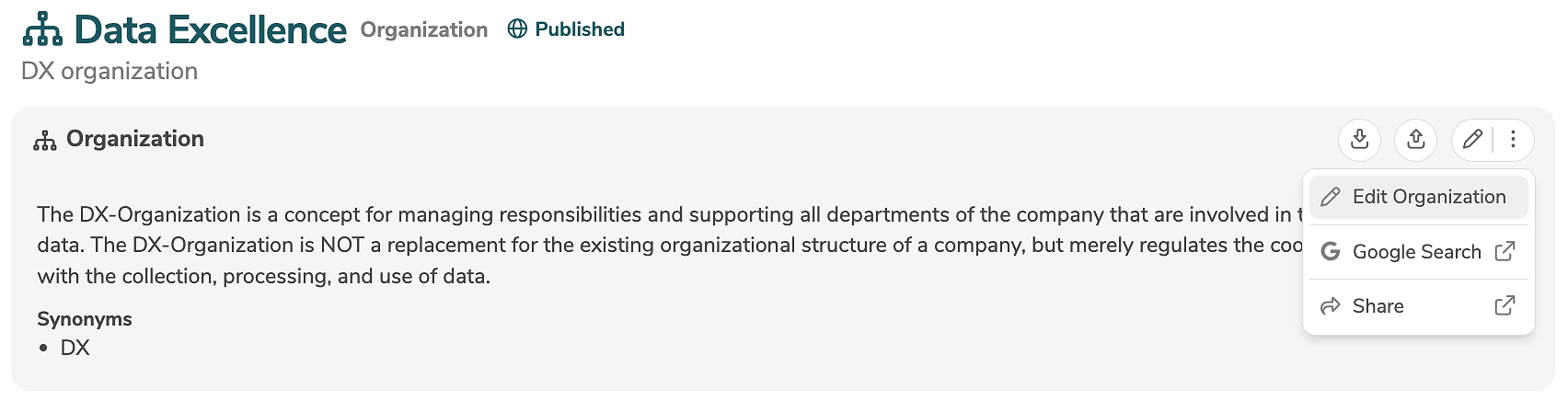
The edit mode allows the modification of all standard input fields. Additional, customer-specific fields can be added using annotations and will then also appear in the edit mode.
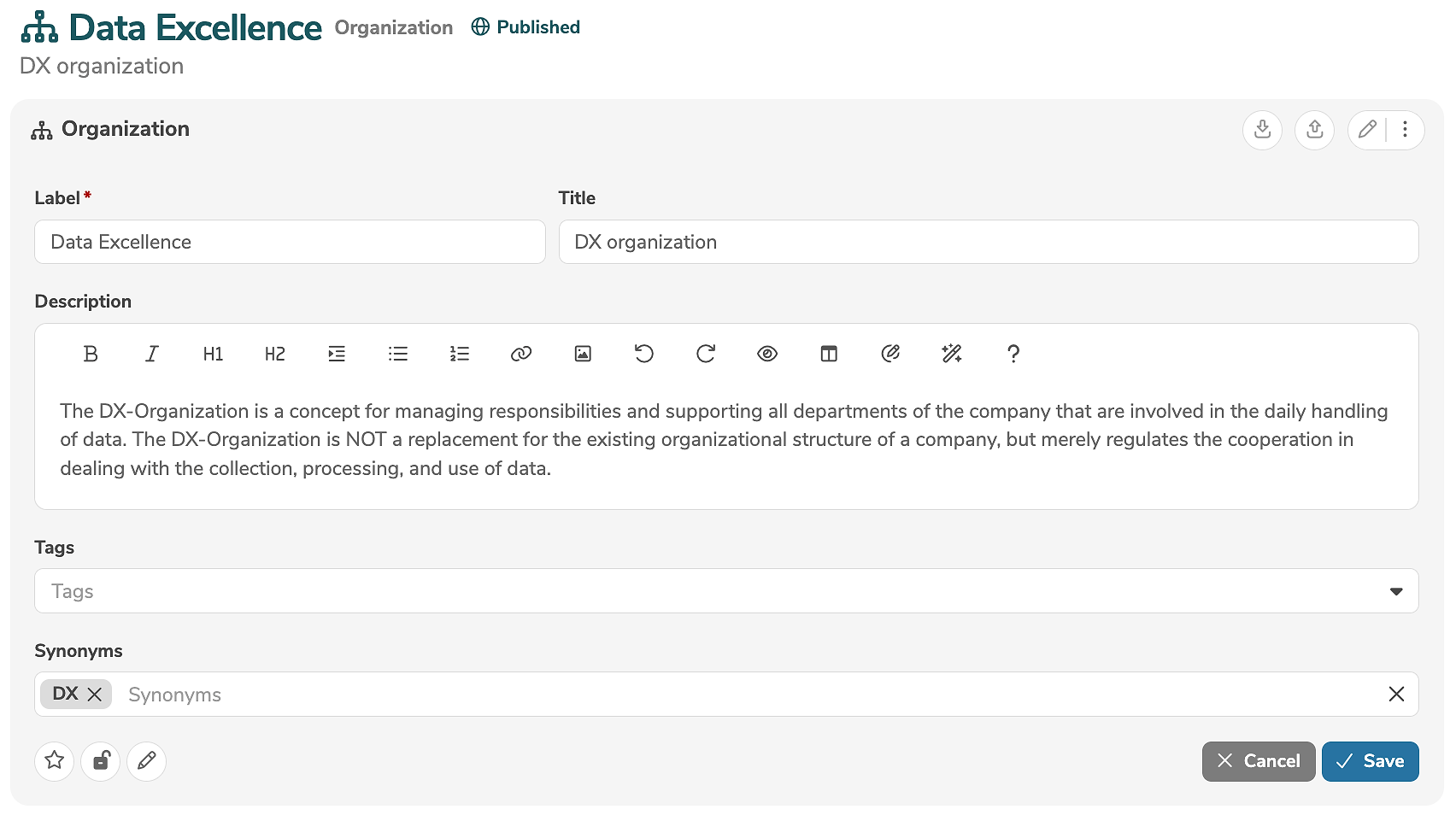
The icons in the lower left corner of the edit view allow further settings to be made:
- Clicking
 marks the element as favorite.
 - Clicking
 marks the element as locked.
 - Clicking
 marks the element as read-only.
Clicking "Save" applies the changes.
The DX organization is connected to the selected tenant and cannot be deleted. If a base tenant is assigned to the current tenant, then the DX organization of the base tenant can be selected in the sidebar.