Groups
A group is an agent in a DX organization and represents a collaboration of persons, groups, posts, and roles with a common objective.
Add groups
Groups are specified in the subpanel of an organization.
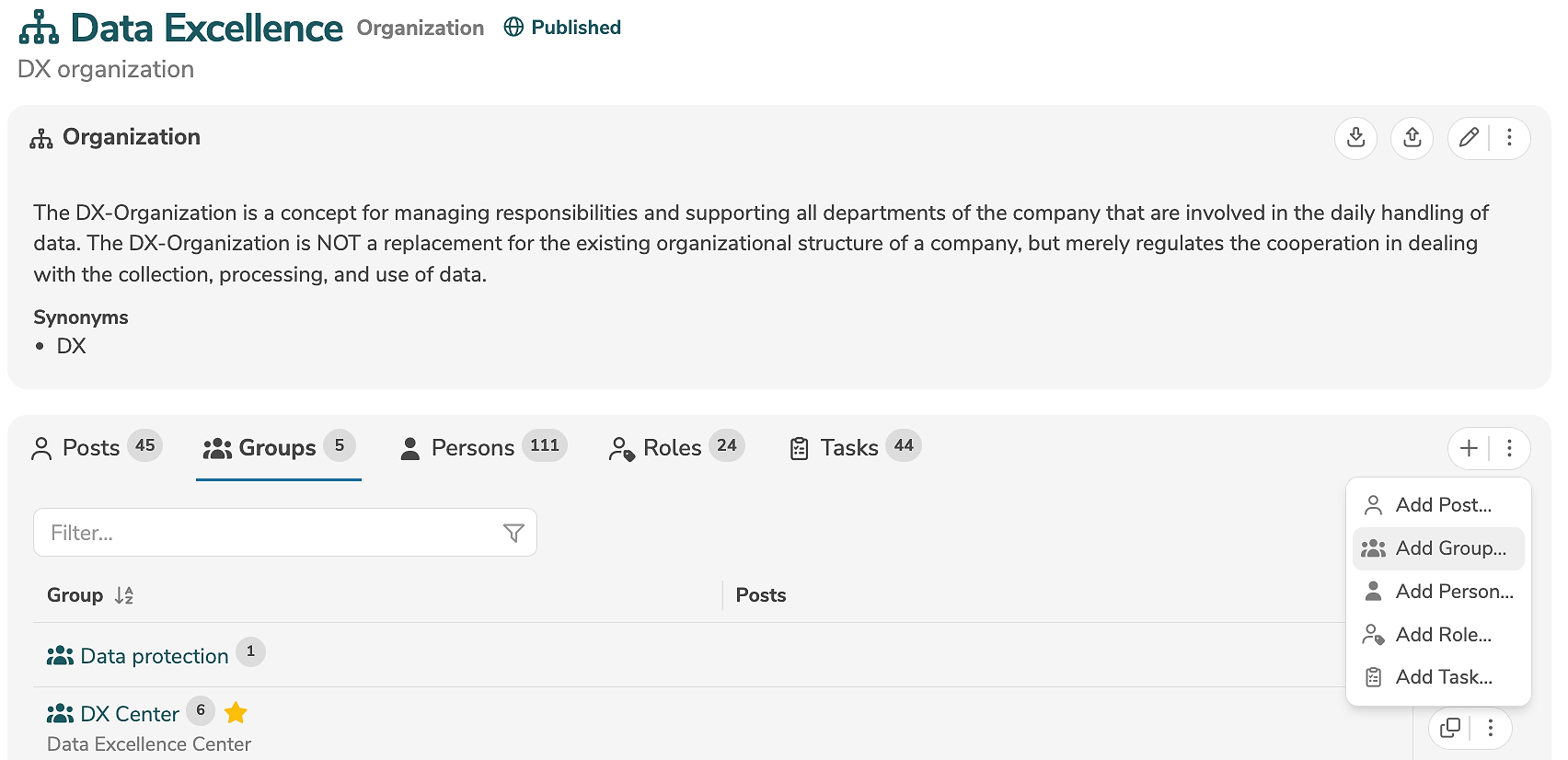
A new group is added by clicking the tab "Groups" and the icon "+" (or by selecting "Add Group..." in the menu).
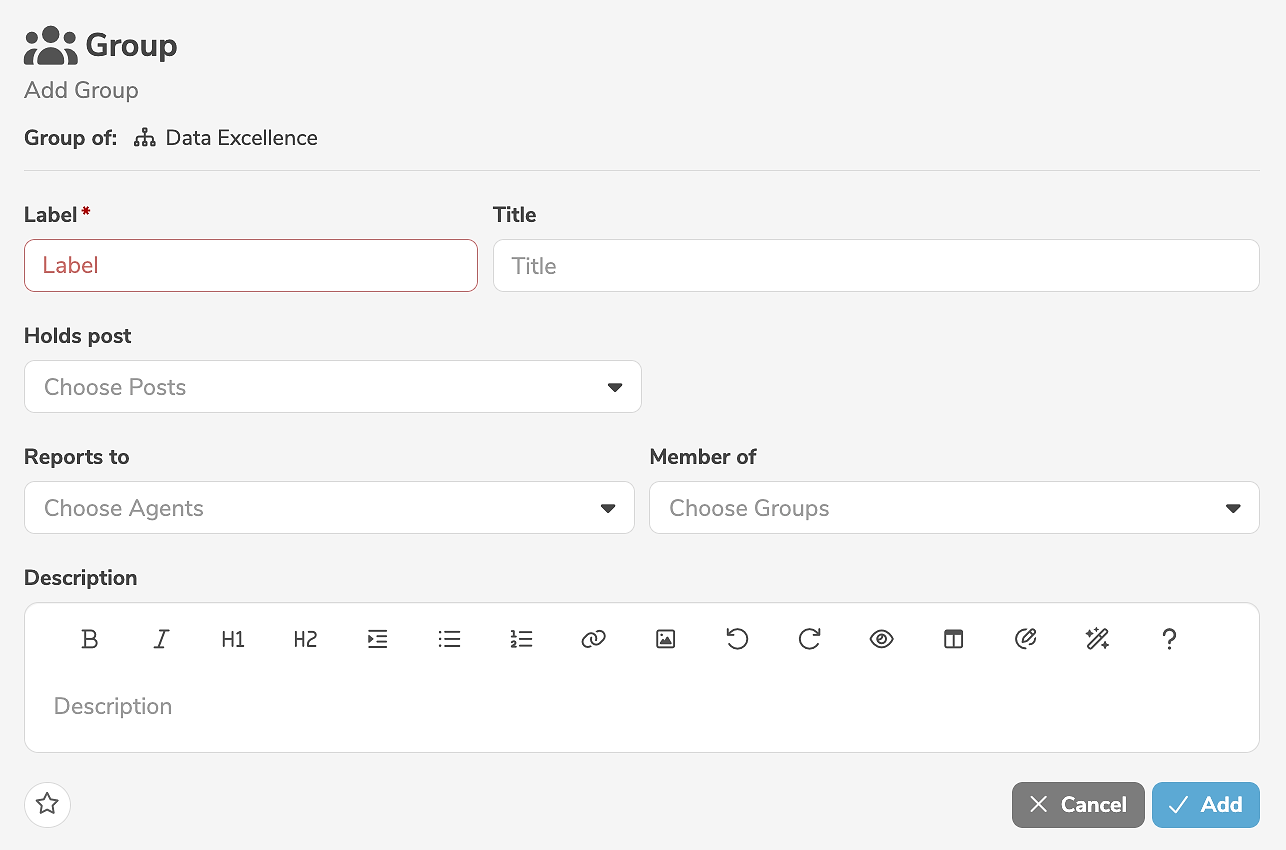
It is mandatory to assign a label to the group. In addition, a title and a description can be specified. It is possible to define which posts the group holds, whom the group reports to, and whether the group itself is a member of a group.
Clicking "Add" creates the group.
Groups can also be created by duplicating other groups.
Edit groups
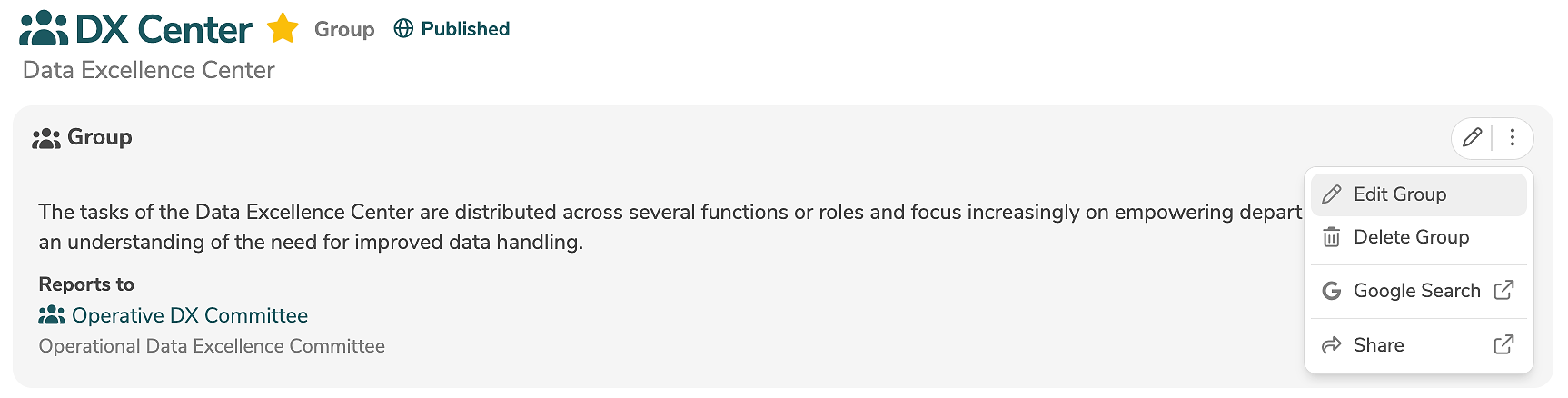
A group is edited in the main panel of the group, by clicking the edit icon (or by selecting "Edit Group" in the menu).
The edit mode allows the modification of all standard input fields. Additional, customer-specific fields can be added using annotations and will then also appear in the edit mode.
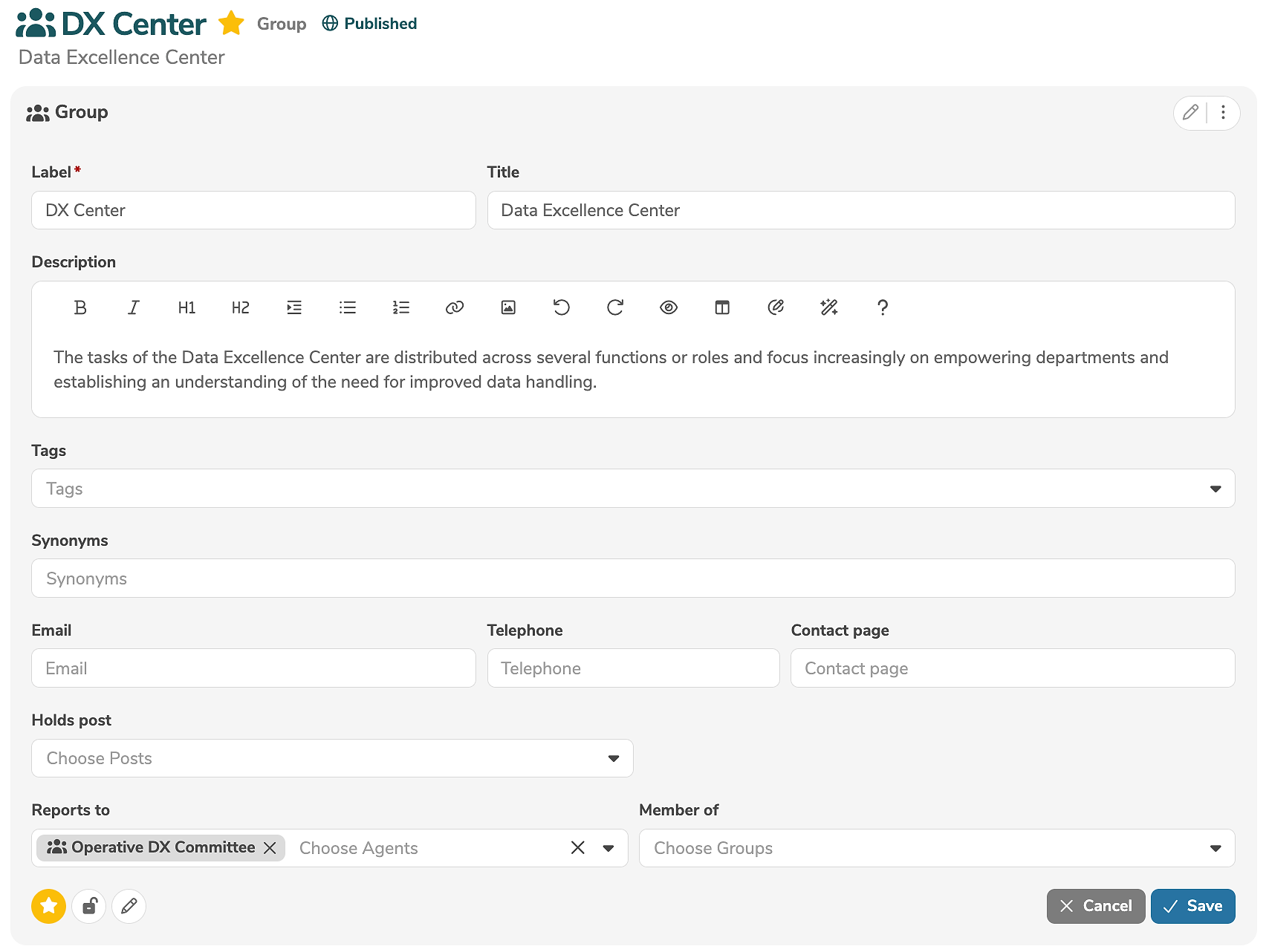
The icons in the lower left corner of the edit view allow further settings to be made:
- Clicking
 marks the element as favorite.
 - Clicking
 marks the element as locked.
 - Clicking
 marks the element as read-only.
Clicking "Save" applies the changes.
A group can be deleted in the main panel of the group, by selecting "Delete Group" in the menu.