Service users
A service user is a technical user who can call interfaces and authenticate themselves with an access key.
In contrast to a regular user, a service user does not have a password and cannot authenticate themselves with a login ID. A service user cannot log in to the user interface or call an interface with a login ID.
Only users with the access level Administrator are authorized to create, edit, or delete service users.
Add service users
Service users are specified in the subpanel of the tenant.
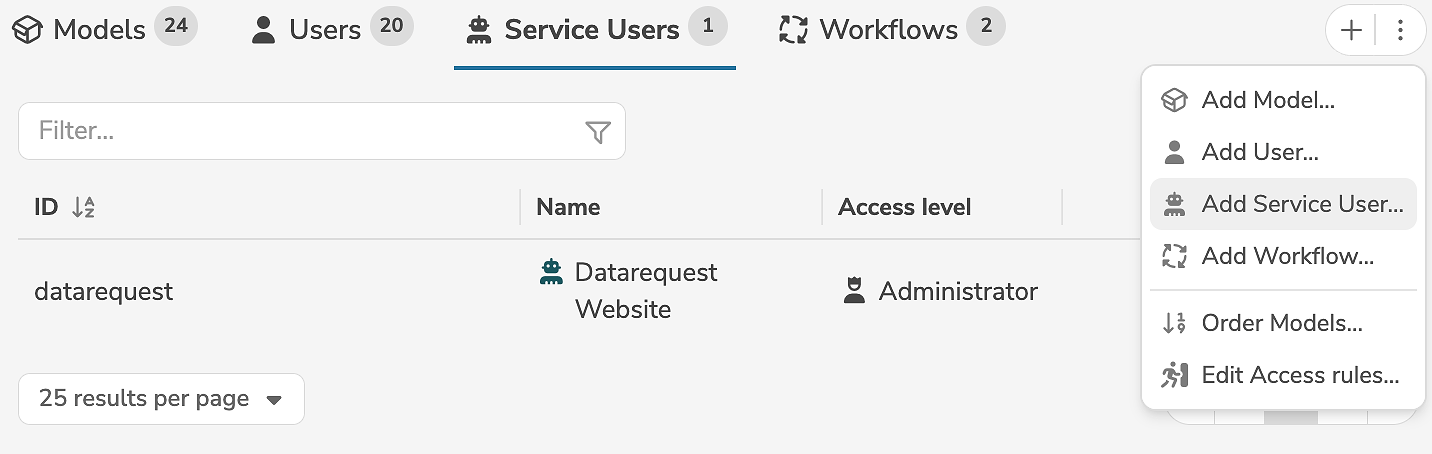
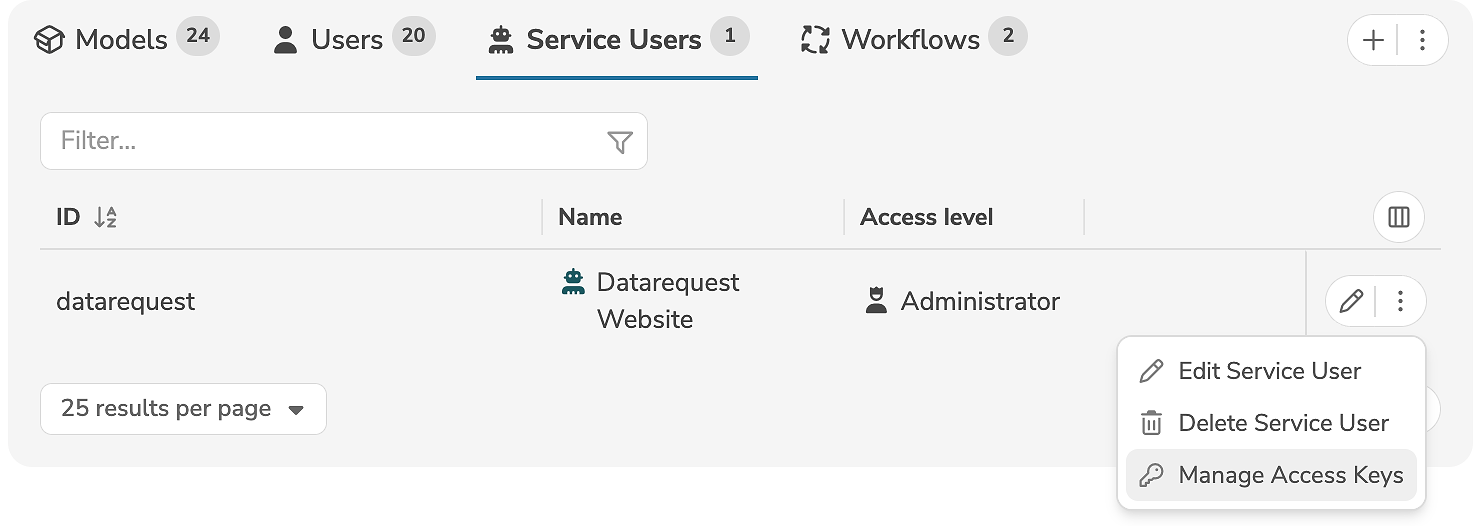
A new service user is added by clicking the tab "Service Users" and the icon "+" (or by selecting "Add Service User..." in the menu).
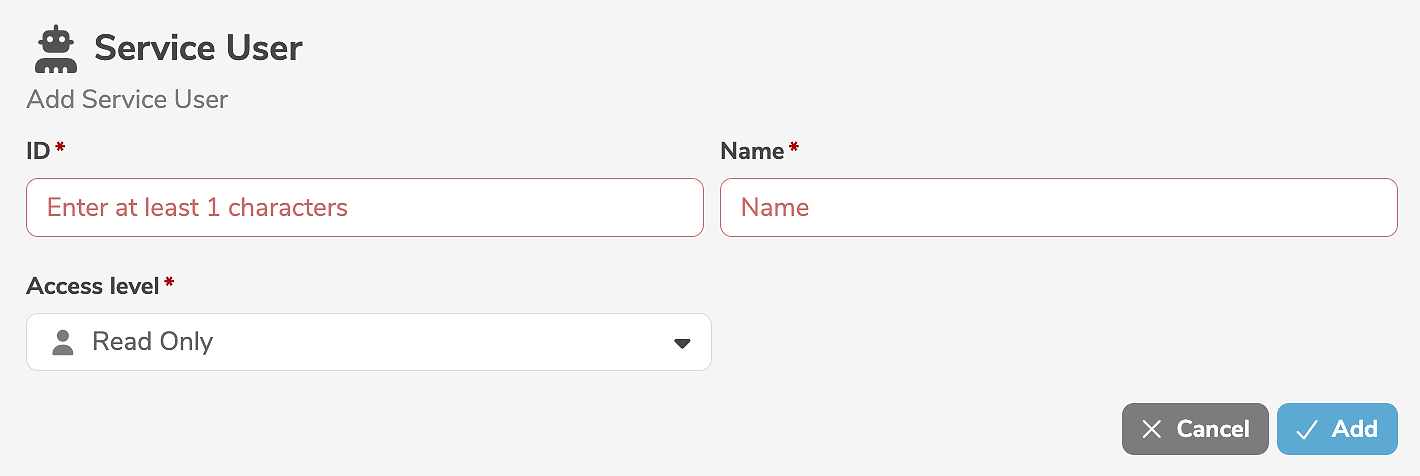
It is mandatory to assign an ID and a name to the service user. The access level can be changed, if required.
In contrast to a regular user, a service user cannot be associated with a person. A service user does not have a password, as authentication when calling interfaces is only possible with an access key.
Clicking "Add" creates the service user.
Edit service users
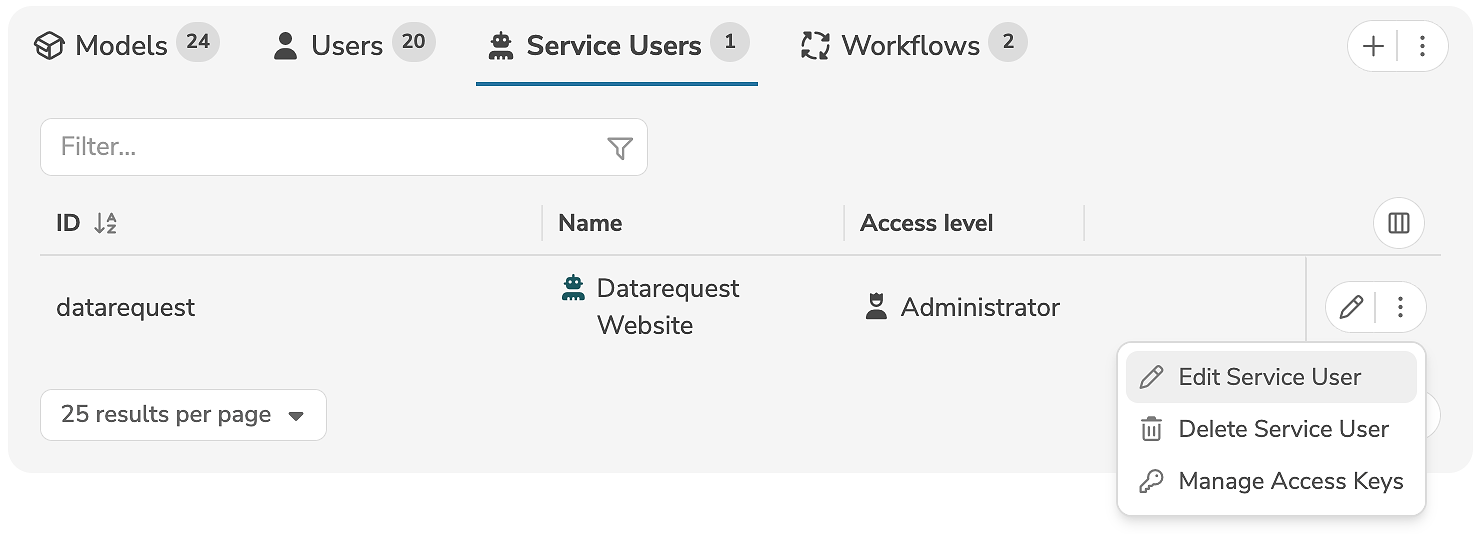
A service user is edited in the subpanel of the tenant, by clicking the edit icon (or by selecting "Edit Service User" in the menu) next to the service user.
The edit mode allows the modification of the access level. The name can be changed, if required.
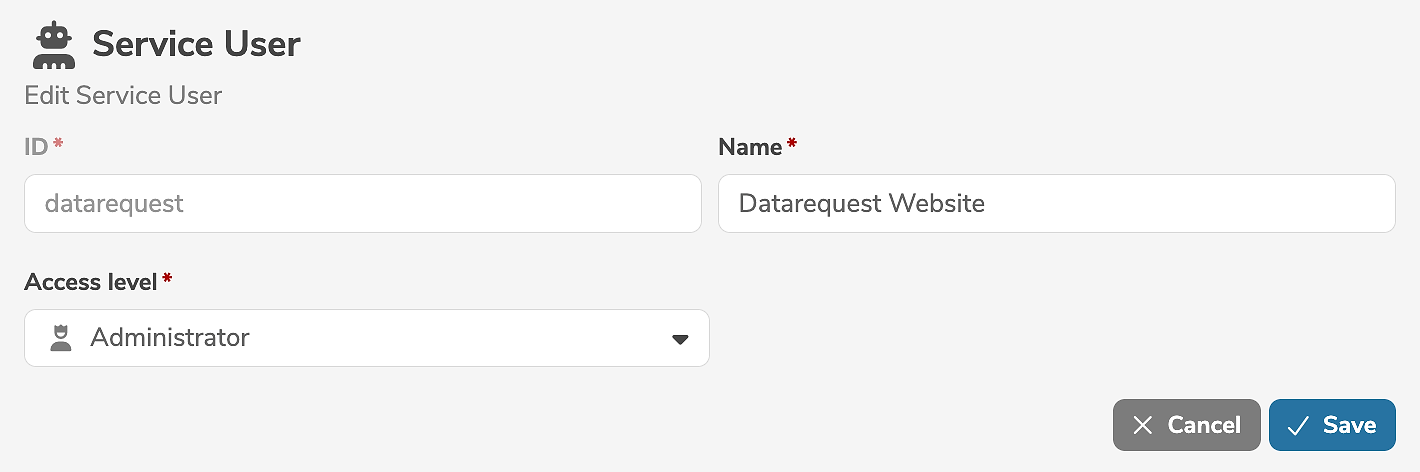
Clicking "Save" applies the changes.
A service user can be deleted by selecting "Delete Service User" in the menu next to the service user.
Manage access keys
An access key is a secret character sequence that is assigned to a service user. When calling an interface, the access key can be used to identify the service user.
Service users can only authenticate themselves with an access key in order to call an interface. Authentication with a login ID is not possible for service users.
The access keys of a service user can be managed in the subpanel of the tenant, by selecting "Manage Access Keys" in the menu next to the service user.
Service users cannot log in to the user interface.
Only users with the access level Administrator are authorized to manage the access keys of service users.
The existing access keys are displayed in the dialog.
For security reasons, the values of the existing access keys are not displayed in full.
A new access key is added by clicking "Add".
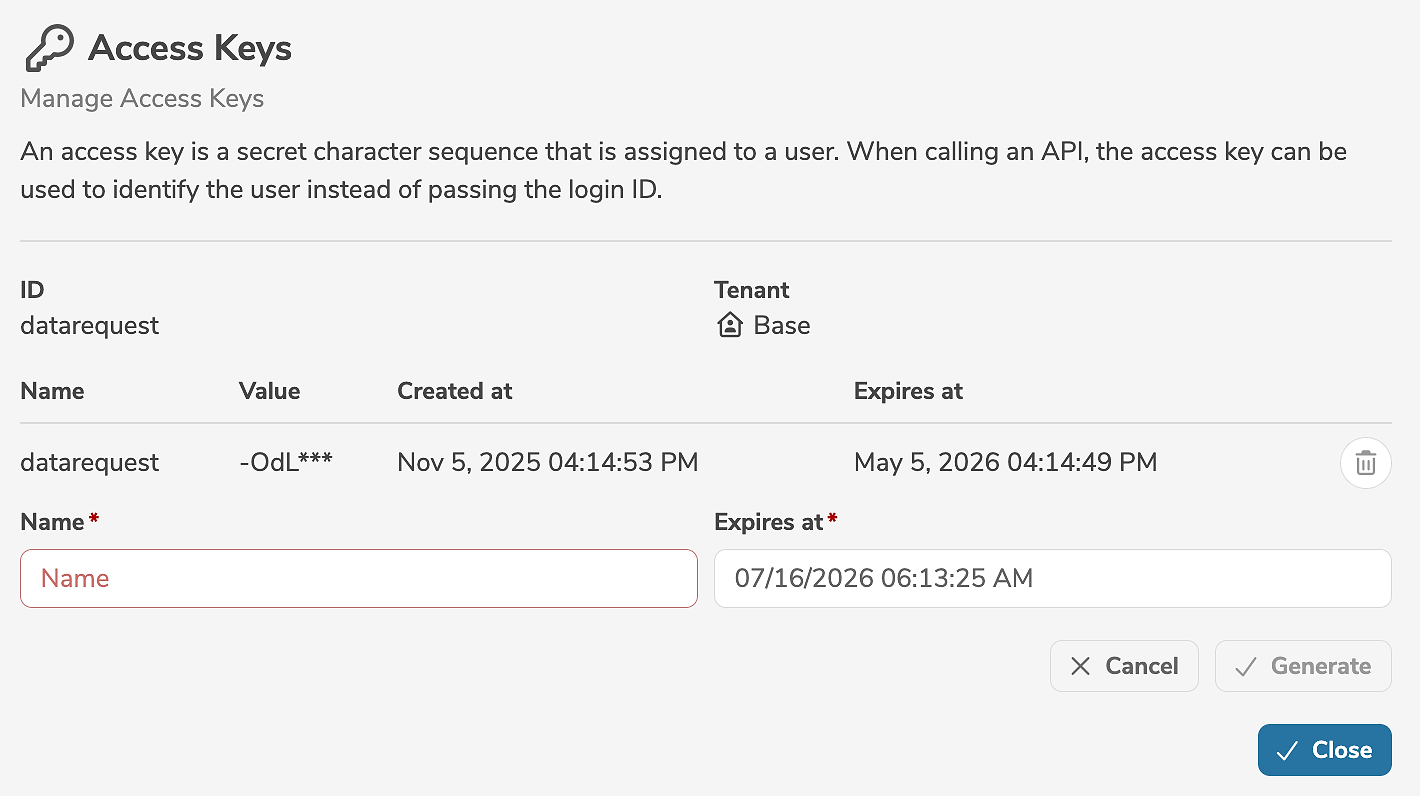
It is mandatory to specify the unique name and the expiry date.
A new access key can be used immediately for interface calls. A new access key is typically generated before an existing access key expires. Interface calls can be gradually migrated to the new access key without disrupting ongoing operation.
Clicking "Generate" generates a new acccess key and assigns it to the service user.
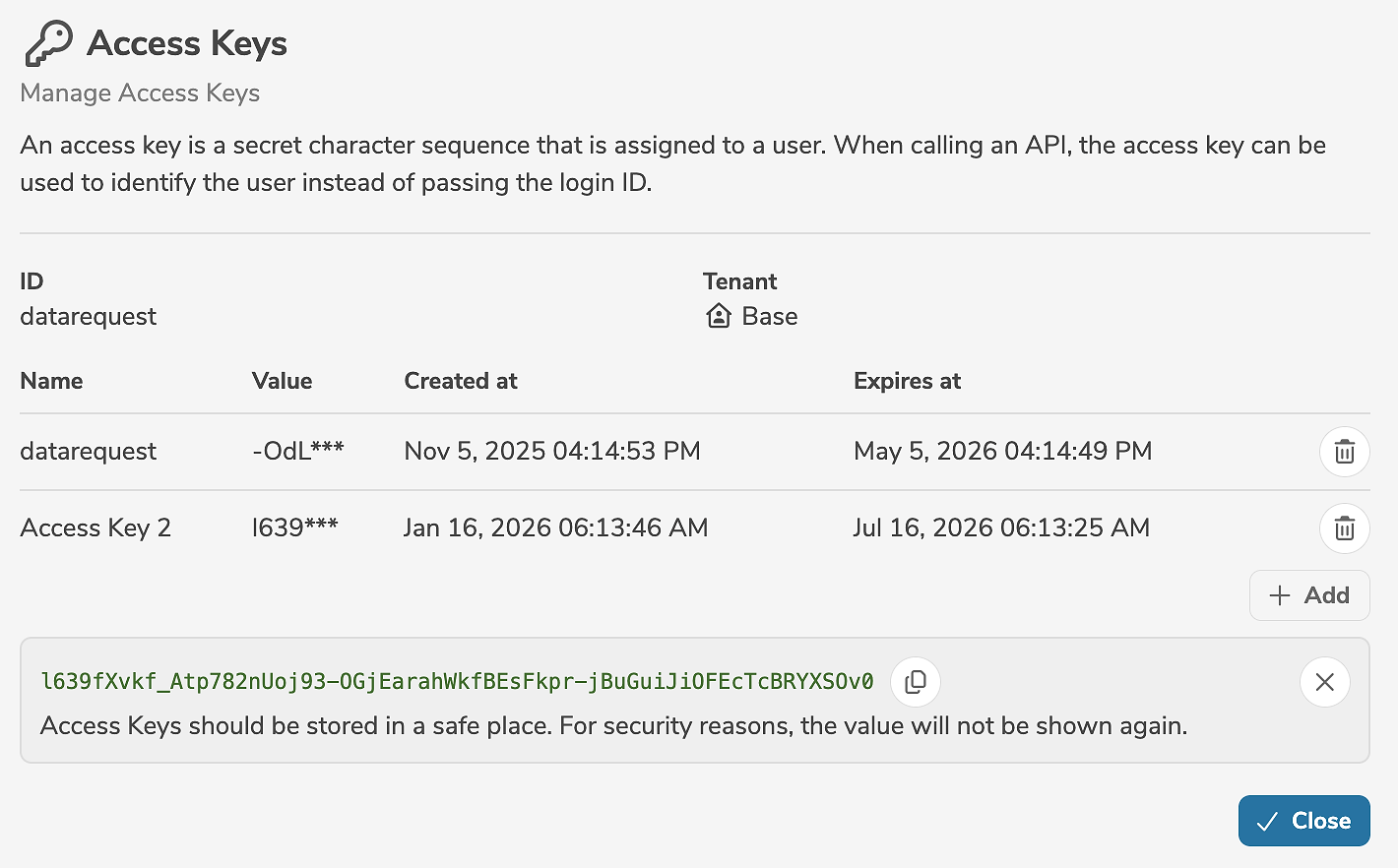
For security reasons, the access key is only displayed once immediately after it has been generated. The access key must be copied and stored in a safe place. If the access key is lost, it must be deleted and a new access key must be generated.
Clicking  deletes the access key.
An access key is only valid in a single tenant. If the service user exists in multiple tenants, different access keys must be created for each tenant.